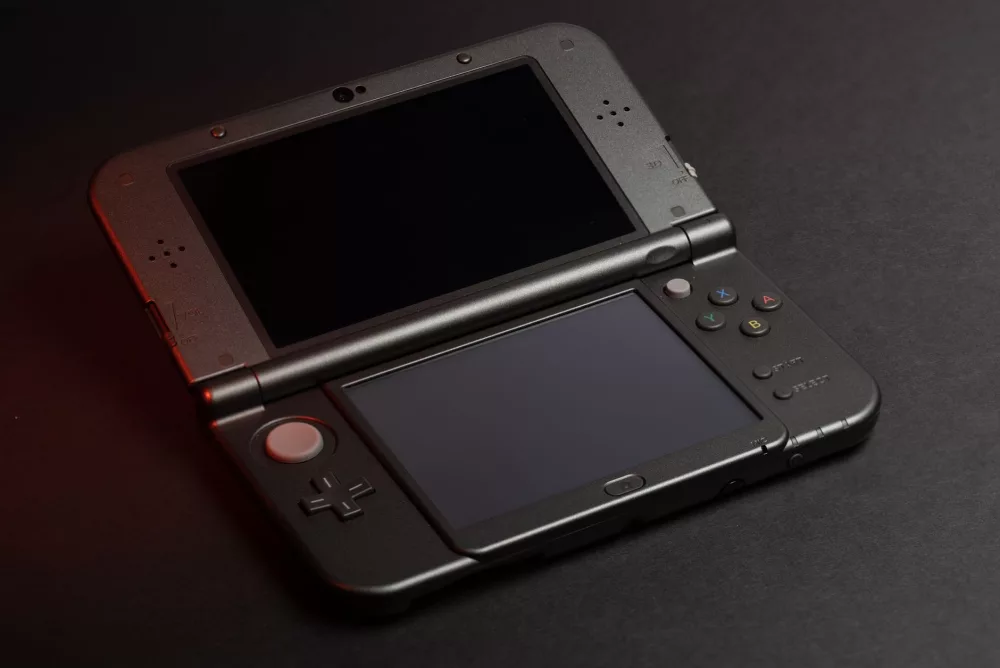
When Nintendo first launched the 3DS, I think many of us saw it as a fantastic portable gaming machine, a worthy successor to the DS line. But, like all consoles, it eventually reached an end to its official support. That's where the incredible world of 3DS homebrew apps steps in, breathing new life into these beloved handhelds. For me, exploring this scene has been an absolute game-changer, transforming my 3DS from a mere gaming device into a versatile, retro-gaming powerhouse and much more.
What Exactly is 3DS Homebrew?
So, what am I talking about when I say 'homebrew'? Simply put, homebrew refers to software not officially authorized or created by Nintendo. It's essentially user-created applications, games, and tools that run on your 3DS. To get into this world, you'll need to install custom firmware (CFW) on your console. Now, I understand that might sound a little intimidating at first, but with excellent community-driven guides out there, it's become quite accessible. Once you've got CFW like Luma3DS running, you're pretty much free to install and use a vast array of unofficial software, expanding your 3DS's capabilities far beyond what Nintendo ever intended.
I've seen firsthand how homebrew can extend the lifespan of a console, and the 3DS is a prime example. Instead of just gathering dust, my old 3DS has found a renewed purpose, offering experiences I never thought possible on such a small device. It’s like discovering a secret room in your house you never knew existed, filled with all sorts of cool gadgets.
The Essentials: Getting Started with Homebrew
Before you even think about specific apps, you'll need a solid foundation. The primary tool here is custom firmware, with Luma3DS being the most popular and robust choice. I can't stress enough how important it is to follow a reputable guide, like the one found on 3ds.hacks.guide, to install it correctly. Seriously, don't just wing it; your console's well-being depends on it. Once Luma3DS is in place, you'll also want an installer application, and for me, FBI is the undisputed king. It allows you to install .CIA files, which are the equivalent of .EXE files for Windows or .APK for Android, but for the 3DS homebrew scene. Universal-Updater is another fantastic utility, acting as a homebrew app store right on your console, making discovery and installation incredibly simple.
- Luma3DS: The custom firmware that unlocks everything.
- FBI: Your primary installer for homebrew applications.
- Universal-Updater: A handy app store for discovering and updating homebrew.
Categories of Must-Have 3DS Homebrew Apps
Alright, let's get into the fun stuff – the applications themselves! The range of what you can do with a homebrewed 3DS is truly impressive. I've categorized them based on their general function to give you a clearer picture.
1. Emulation: Reliving Gaming History
For me, emulation is one of the biggest draws of 3DS homebrew. This little handheld, with its dual screens and physical controls, is surprisingly capable of running games from older systems. Imagine playing your favorite Game Boy Advance titles natively on your 3DS, or even classic SNES games. It's pretty awesome.
- RetroArch: This is a powerhouse, a frontend for numerous 'cores' that emulate various systems. You can play NES, SNES, Genesis, Game Boy, Game Boy Color, and even some PlayStation 1 games through it. It takes a bit of setup, but it’s incredibly versatile.
- mGBA: If you're specifically looking for top-tier Game Boy Advance emulation, mGBA stands out. It offers excellent compatibility and performance.
- Open_AGB_firm & Open_NDS_firm: These aren't emulators in the traditional sense, but injectors. They let you take GBA or DS ROMs and convert them into virtual console titles, which then run with near-perfect compatibility and performance directly from your 3DS HOME Menu, just like an official eShop game. It's my preferred way to play GBA on the system.
- TWiLight Menu++: This is an essential for anyone wanting to play DS and DSi games directly from their SD card. It’s a full-featured launcher that dramatically improves compatibility and offers a ton of options. I love being able to carry my entire DS library with me.
2. Backup and Save Management Tools
Preserving your game saves and even your game cartridges is another strong reason for me to use homebrew. Nobody wants to lose dozens of hours of progress, right?
- Checkpoint: This is my go-to application for backing up and restoring game saves. It's super user-friendly and supports both 3DS and DS cartridges/digital titles. It’s an absolute lifesaver.
- GodMode9: This is a Swiss Army knife of a tool. While it does a lot more, its ability to dump your physical game cartridges (and installed digital titles) into .CIA files for archival purposes or to install them on your system is invaluable. It can also manage your SD card files with incredible precision.
3. System Utilities & Customization
Beyond gaming, homebrew lets you tinker with the 3DS system itself, offering features Nintendo never would.
- Anemone3DS: Tired of the default themes? Anemone3DS lets you install custom themes, transforming your HOME Menu’s look and feel. There’s a massive community creating some really beautiful themes.
- Luma3DS Updater: Keeps your custom firmware up-to-date, which is crucial for compatibility with new homebrew and system features.
- FTPD: This little app turns your 3DS into an FTP server, allowing you to wirelessly transfer files to and from your SD card using your computer. It’s so much more convenient than constantly removing the SD card.
- 3DSident: Provides detailed information about your 3DS console, including firmware version, region, and hardware specifics. It's a neat diagnostic tool.
4. Fan-made Games and Ports
The homebrew scene isn't just about utility; it's also about new experiences! Developers have created some truly impressive original games and ports of classic PC titles for the 3DS.
- OpenLara: A port of the original Tomb Raider, running surprisingly well on the 3DS.
- SRB2 (Sonic Robo Blast 2): A fantastic fan-made 3D Sonic game that has a 3DS port.
- Many smaller, original games and demos created by aspiring developers in the homebrew community. It's inspiring to see what people can create.
5. Online Enhancements
Even though Nintendo has shut down official online services for the 3DS, the homebrew community has stepped in.
- Pretendo Network: This project aims to bring back online services for 3DS and Wii U games by creating community-run servers. It’s still under development, but it shows incredible promise for keeping these consoles alive for online play.
The Benefits and Considerations of Homebrew
I feel it's important to talk about why people bother with homebrew and also some things to keep in mind. The benefits are quite clear to me:
- Extended Life: Your 3DS gets a whole new lease on life, offering countless hours of additional entertainment.
- Enhanced Functionality: Region-free gaming, save management, custom themes, and file management are just a few examples.
- Game Preservation: Being able to dump your cartridges helps preserve game data, and running emulators ensures older titles aren't lost to time.
- Cost Savings: Access to a vast library of retro games and backups of your own physical titles can save you money on re-buying games.
However, there are a few considerations:
- Warranty: Installing CFW generally voids your warranty. Since the 3DS is no longer officially supported, this isn't a huge concern for many, but it's good to know.
- Potential for Bricking: While rare if you follow guides carefully, there's always a slight risk of bricking your console if something goes wrong during the CFW installation process. I personally haven't had issues, but I'm always cautious.
- Legality/Ethics: While installing CFW itself is generally legal, the line gets blurry with downloading and playing copyrighted games you don't own. I always advocate for owning the games you play, even if you're playing a backup copy for convenience.
My Thoughts on the 3DS Homebrew Scene
To sum it all up, the 3DS homebrew scene is a vibrant, innovative community that has truly transformed the 3DS experience for me and many others. It’s a testament to the passion of developers and users who refuse to let beloved hardware fade into obsolescence. From bringing back classic games through emulation to providing essential utility tools and even new games, homebrew makes the 3DS more capable and enjoyable than ever. If you're still holding onto your 3DS, I sincerely recommend looking into homebrew. It’s an adventure that will unlock possibilities you probably never even imagined for your little handheld friend. Just remember to be patient, follow the guides closely, and enjoy the incredible world that awaits!